

Overview
The API Management page is your central hub for:- API Keys - Authenticate external API calls
- Enrollment Tokens - Register new driver machines
- VM Machines - Monitor connected drivers
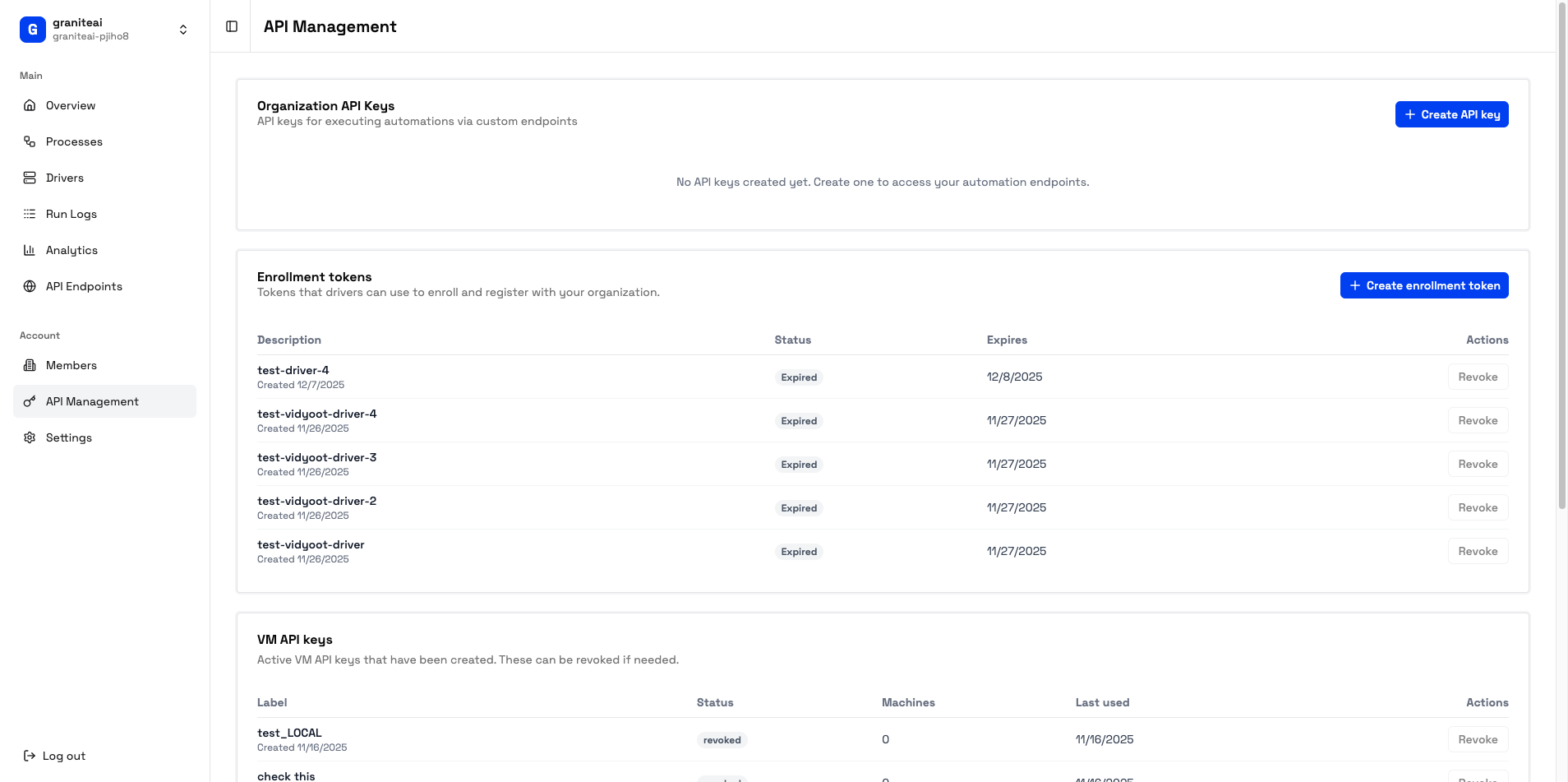
API Keys
API keys authenticate requests to your public endpoints.Creating an API Key
1
Click Create API Key
In the API Keys section, click + Create Key
2
Name Your Key
Give it a descriptive name like “Production Backend” or “CI/CD Pipeline”
3
Copy the Key
Important: Copy the key immediately. It’s only shown once!
Using API Keys
Include the key in theX-Granite-API-Key header:
Managing Keys
You can have multiple API keys for different services or environments.
API Key Best Practices
Use separate keys for different services
Use separate keys for different services
Create distinct keys for production, staging, and different integrations. If one is compromised, you only revoke that one.
Rotate keys periodically
Rotate keys periodically
Every 90 days, create a new key and phase out the old one.
Never commit keys to git
Never commit keys to git
Use environment variables or secret managers instead.
Monitor usage
Monitor usage
Check Analytics to see if keys are being used unexpectedly.
Enrollment Tokens
Enrollment tokens are one-time-use codes for registering new driver machines.Creating an Enrollment Token
1
Click Create Token
In the Enrollment Tokens section, click + Create Token
2
Copy the Token
A new token is generated:
3
Use on Driver Machine
Run the driver with this token to register it to your organization
Token Properties
Revoking Tokens
If a token hasn’t been used yet, you can revoke it:- Find the token in the list
- Click the trash icon
- Confirm revocation
VM Machines (Drivers)
View all driver machines connected to your organization.Machine List
Each entry shows:Machine Status
Online
Ready to accept jobs
Busy
Currently running an automation
Offline
Not connected
Managing Machines
From the machine detail view, you can:- View details - IP address, OS version, capabilities
- See job history - What it has run recently
- Remove machine - Unregister from your organization
Queue Status
The API Management page also shows queue metrics:SDK Example
Manage API keys programmatically:Next Steps
API Endpoints
Create endpoints to call
Driver Setup
Add more machines